Choosing a LiDAR sensor for a robotics project involves more than comparing detection range, field of view, or price. For teams developing autonomous mobile robots (AMRs), automated guided vehicles (AGVs), and autonomous systems, software integration is equally important.
A LiDAR sensor may meet your hardware requirements but still require significant development work if its drivers, data output, timestamps, or configuration tools do not fit your existing ROS 2 environment.
Before purchasing a sensor, it is worth checking how easily it can be integrated into your robotics software stack.
In this guide, we explain the key compatibility questions to ask before selecting a LiDAR sensor for a ROS 2 project.
1. Confirm ROS 2 Support for the Exact LiDAR Model
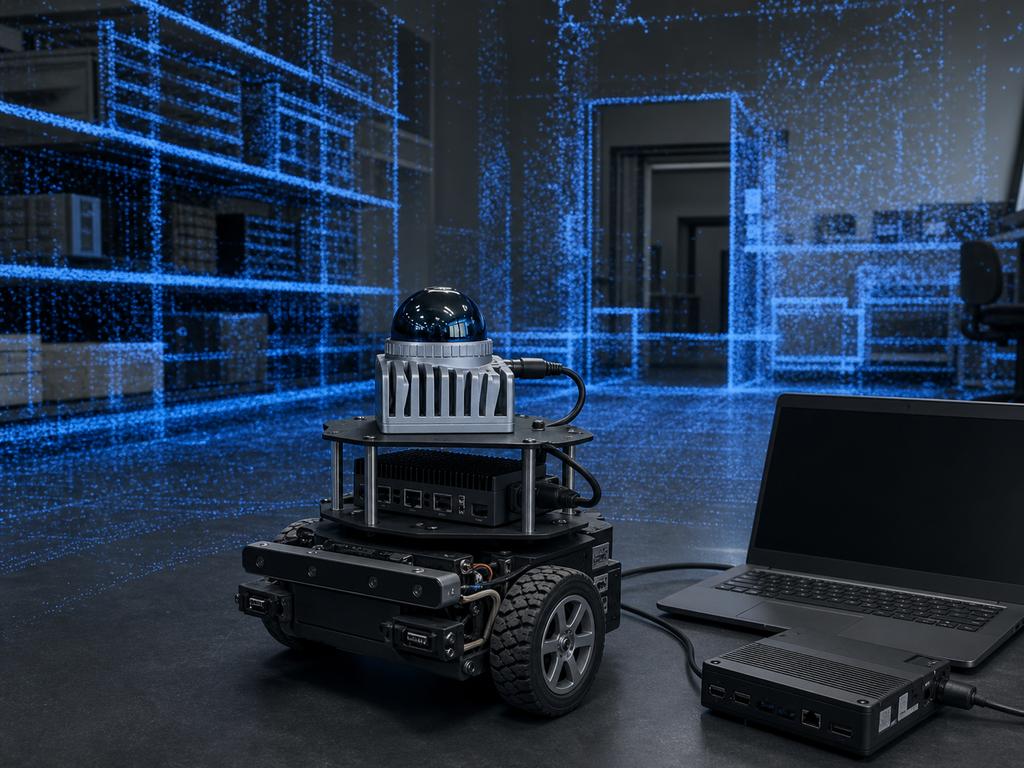
Do not assume that every product from a manufacturer supports ROS 2 in the same way.
Driver availability and integration requirements can vary by product model, firmware version, and software release.
Before placing an order, confirm:
- Whether a ROS 2 driver is available for the exact sensor model
- Which ROS 2 distributions are supported
- Whether the driver is officially maintained or community-developed
- Which operating systems and processor architectures are supported
- Whether the driver has been tested with your intended hardware platform
- Whether firmware updates affect driver compatibility
If your project uses a specific ROS 2 distribution, such as Humble or Jazzy, verify compatibility directly rather than relying on a general statement that the sensor supports ROS.
Practical tip: Ask the supplier for the relevant driver repository, documentation, supported-version information, and sample configuration files before purchasing.
2. Check the Communication Interface and Network Requirements
The communication interface determines how the sensor connects to your computing platform.
Many 3D LiDAR sensors use Ethernet, but the required network configuration can differ between models. Other sensors may use different interfaces.
Check the following specifications in the product documentation:
- Communication interface and connector type
- Required network bandwidth
- IP address configuration
- UDP or TCP communication requirements, where applicable
- Number of network ports required
- Power and data cable requirements
- Whether a dedicated network connection is recommended
For Ethernet-based LiDAR systems, also check whether your computer, network adapter, and cables can support the required data throughput.
A sensor that outputs a large point cloud may require more network capacity than a simple 2D scanning sensor.
Do not assume that connecting the cable is sufficient. Network settings and driver configuration may also be necessary.
3. Verify Point Cloud Topics and Data Formats
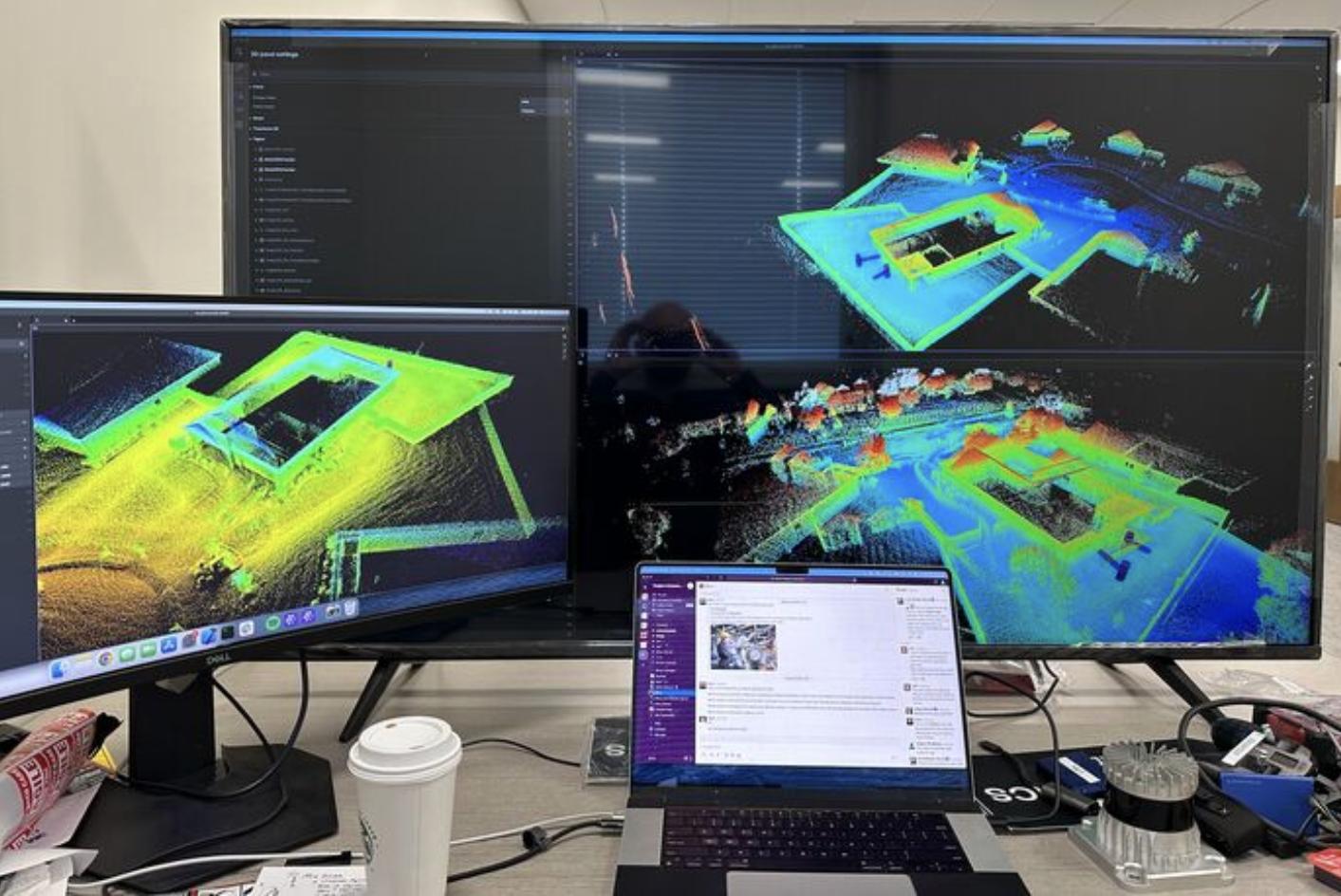
ROS 2 drivers publish sensor data through topics. Understanding the output format is important when integrating LiDAR into an existing perception or navigation system.
Depending on the driver, you may encounter message types such as:
sensor_msgs/msg/LaserScanfor 2D laser scan datasensor_msgs/msg/PointCloud2for 3D point cloud data
These formats serve different purposes. The actual output depends on the sensor and its driver.
Before purchasing, ask:
- Which ROS 2 topics does the driver publish?
- What message types are used?
- Which coordinate frame is assigned to the data?
- Are intensity or other point attributes available?
- Can the output rate be configured?
- Is there an example launch file or RViz visualization?
If your application relies on a particular SLAM, navigation, or perception package, confirm that the sensor output can be used by that software without substantial conversion or custom development.
4. Understand Coordinate Frames and TF Integration
Correct coordinate-frame configuration is essential for reliable robot perception.
A LiDAR sensor is usually mounted at a specific position and orientation relative to the robot. The software must account for this relationship when interpreting sensor measurements.
Before integration, determine:
- The sensor’s coordinate-frame convention
- How the driver assigns the frame ID
- Whether a static transform is required
- How the sensor frame connects to the robot’s
base_linkor equivalent frame - Whether the system requires time-synchronized transforms
Incorrect frame configuration can cause obstacles or point clouds to appear in the wrong position in visualization and downstream processing.
For mobile robots, this may affect mapping, localization, and obstacle perception.
Ask the supplier for frame-convention documentation and example configuration files if these are available.
5. Check Timestamping and Sensor Synchronization
Some robotics applications use data from multiple sensors, including LiDAR, cameras, IMUs, and GNSS receivers.
In these systems, timing can be just as important as the sensor’s measurement performance.
Before selecting a LiDAR, check:
- How timestamps are generated
- Whether the driver supports the synchronization method required by your system
- Whether hardware synchronization is available, if needed
- Whether timestamps use the expected clock source
- Whether the data rate meets your application’s requirements
For sensor-fusion applications, poorly aligned timestamps can make it harder to associate measurements from different sensors.
The synchronization options vary between products. Verify the exact capabilities in the technical documentation rather than assuming that every sensor supports external synchronization.
6. Confirm Power Supply and Electrical Requirements
Software compatibility cannot compensate for an incompatible electrical design.
Check the sensor’s specified:
- Operating voltage
- Power consumption and peak power requirements
- Connector and pinout
- Startup behavior
- Grounding requirements
- Operating temperature range
For a mobile robot powered by a battery, also consider the effect of sensor power consumption on the overall power budget.
Verify whether the sensor requires a dedicated power supply, a converter, or additional accessories.
Never rely on connector appearance alone to determine electrical compatibility. Use the manufacturer’s documentation to verify voltage, pin assignments, and power requirements.
7. Evaluate Processing Requirements
A LiDAR sensor’s data output can affect the computing resources required by your robotics system.
For example, a 3D point cloud may require more processing and memory than a simple 2D scan, depending on its density, output frequency, and downstream algorithms.
If your project uses an NVIDIA Jetson platform or another embedded computer, check:
- CPU and memory requirements for the driver
- Supported processor architecture
- Operating-system compatibility
- Network throughput
- Expected point cloud processing workload
- Compatibility with your existing ROS 2 packages
A sensor manufacturer may provide example code or recommended computing configurations. These can help with initial evaluation, but actual performance should be tested using your intended application and processing pipeline.
8. Check Mounting Space and Environmental Conditions
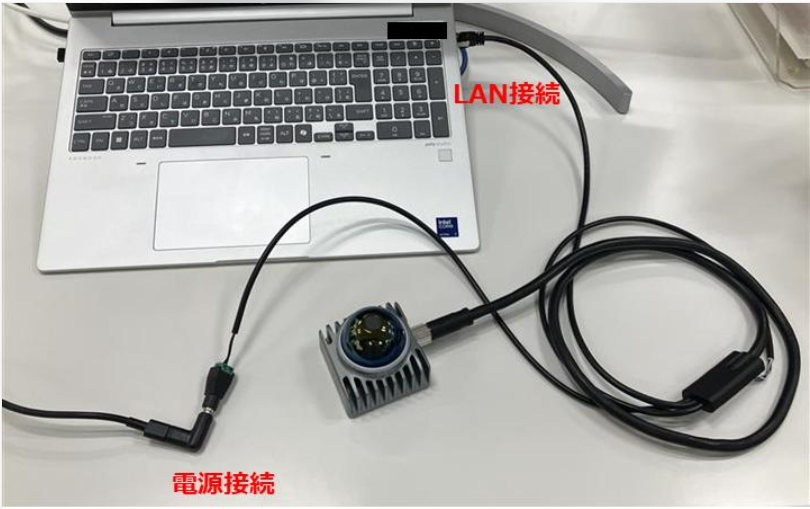
A sensor may be compatible with your software but unsuitable for the robot’s physical design.
Before purchasing, review:
- Overall dimensions and weight
- Mounting-hole positions
- Required field of view
- Potential obstructions caused by the robot’s structure
- Cable routing and connector clearance
- Operating temperature and ingress protection
- Vibration and installation requirements, where specified
For example, a sensor mounted behind a protective panel or close to other components may have part of its field of view blocked.
Check the installation drawings and recommended mounting conditions before finalizing your mechanical design.
For outdoor robots, environmental protection and temperature specifications should match the expected operating conditions.
9. Review Documentation, SDKs, and Troubleshooting Resources
A well-documented sensor can reduce integration time, especially when your engineering team is working with unfamiliar hardware.
Before ordering, check whether the following resources are available:
- Product datasheet
- User manual
- ROS 2 driver documentation
- SDK and API documentation, if applicable
- Sample code and launch files
- Configuration instructions
- Firmware update instructions
- Troubleshooting guidance
Also clarify what technical assistance is available from the supplier and what issues must be handled directly by the manufacturer.
If your project has a tight development schedule, access to the right documentation before delivery can help your engineers prepare the integration environment in advance.
10. Test Before Scaling to Production
A sensor that works in a basic demonstration may still need additional evaluation before deployment in a commercial robot.
Where practical, use an evaluation unit to test the sensor in your actual environment.
A useful initial test plan includes:
- Connect the sensor and verify power and network settings.
- Install the required driver and launch the ROS 2 node.
- Confirm that the expected topics are published.
- Visualize the scan or point cloud in RViz.
- Check frame IDs, timestamps, and output frequency.
- Test the sensor with your navigation or perception software.
- Evaluate performance under realistic operating conditions.
Document any driver modifications, configuration changes, or additional dependencies.
For production projects, also confirm the sensor’s availability, expected lead time, warranty arrangements, and long-term supply requirements before committing to a particular model.
ROS 2 LiDAR Integration Checklist
Use this checklist when comparing sensors for your robotics project.
| Area | What to verify |
|---|---|
| ROS 2 support | Exact model and supported distributions |
| Driver | Availability, maintenance, and documentation |
| Interface | Connector, network settings, and bandwidth |
| Data output | Topics, message types, and frame IDs |
| Synchronization | Timestamps and required synchronization method |
| Power | Voltage, consumption, and pinout |
| Computing | OS, architecture, and processing requirements |
| Mechanical design | Dimensions, mounting, and field of view |
| Environment | Temperature and protection specifications |
| Technical support | Documentation and troubleshooting assistance |
The most suitable sensor is not necessarily the one with the highest specifications. It is the one that meets your application’s requirements and can be integrated reliably within your project’s budget and schedule.
Frequently Asked Questions
Does every LiDAR sensor support ROS 2?
No. Support depends on the specific sensor, available drivers, and software environment. Always confirm compatibility for the exact model and ROS 2 distribution.
Can I use a 3D LiDAR with ROS 2 navigation software?
Potentially, yes. However, the integration depends on the driver output, coordinate frames, processing pipeline, and requirements of the navigation software. Additional configuration or processing may be necessary.
What is the difference between LaserScan and PointCloud2?
LaserScan represents a planar laser scan, while PointCloud2 represents a collection of points in three-dimensional space or another configured coordinate frame. The appropriate format depends on the sensor and application.
Can I use a LiDAR sensor with NVIDIA Jetson?
Many robotics systems use LiDAR with NVIDIA Jetson platforms, but compatibility depends on the sensor driver, operating system, processor architecture, and software dependencies. Verify these requirements for the exact hardware and software versions.
What information should I provide when requesting a LiDAR quotation?
Provide your application, preferred sensor model or specifications, estimated quantity, ROS 2 distribution, computing platform, destination country, and required delivery schedule. If you have not selected a model, describe your project requirements so suitable options can be evaluated.
Need Help Selecting a LiDAR for Your ROS 2 Project?
Choosing a suitable LiDAR sensor requires balancing hardware performance, software compatibility, integration effort, availability, and total project cost.
LIDARSEEK provides access to LiDAR products from multiple manufacturers and supports customers with product information, documentation, technical questions, and project-based quotations.
If you are developing an AMR, AGV, autonomous robot, or another perception system, share your requirements with our team.
To help us evaluate suitable options, please include:
- Application: What are you building?
- Preferred model: If you have already selected a sensor
- Quantity: Estimated number of units
- Software environment: ROS 2 distribution and operating system
- Computing platform: For example, NVIDIA Jetson or an x86 computer
- Destination and delivery schedule: Country and target date
If you are still evaluating different sensors, you can also contact us before selecting a specific model.
Contact LIDARSEEK to discuss your LiDAR requirements and request a project-based quotation.
LIDARSEEK — Your Partner for LiDAR, AI Perception, and Autonomous Solutions.